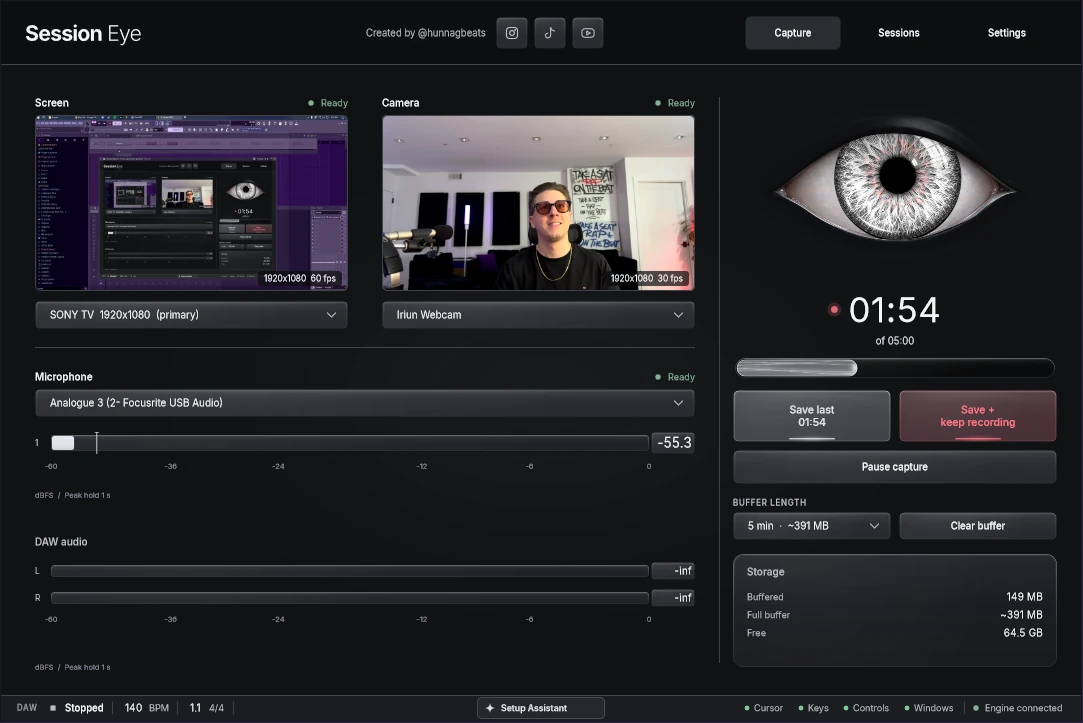
Session Eye keeps a rolling memory of your production session — your DAW, camera, audio and mic. When something worth sharing happens, save it afterward and turn it into a finished clip.
You don’t have to decide it’s content before it happens.
Your screen, camera and audio, with rolling history ready to save. Keep making music; keep the moment afterward.
01 Produce02 Save the moment03 Edit & export
01 / CAPTURE
Capture what just happened.

Keep a rolling buffer while you work. When a moment is worth keeping, save what just happened — or save it and keep recording.
Your chosen screen, camera, DAW audio and microphone stay synchronized. No hitting Record before something good happens. No rebuilding the moment afterward.
02 / REVISIT
Come back to the session.
Takes, window changes, control activity and audio give your timeline context. Find the part you remember, then choose what to keep.
Deeper DAW integration can add more detail where supported. The idea stays simple: spend less time searching through footage.
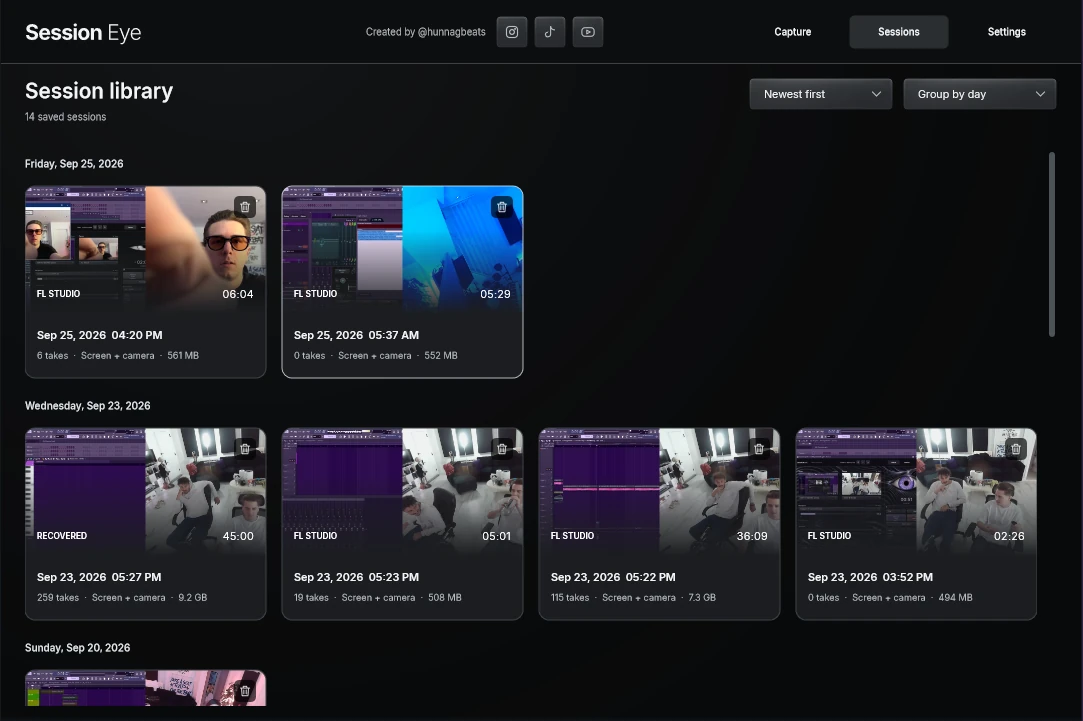
View full size ↗The session library keeps saved captures together, with screen and camera thumbnails to help you find your way back.
03 / MAKE IT YOURSTHE SESSION BECOMES THE EDIT.
Your session doesn’t have to look like a screen recording.

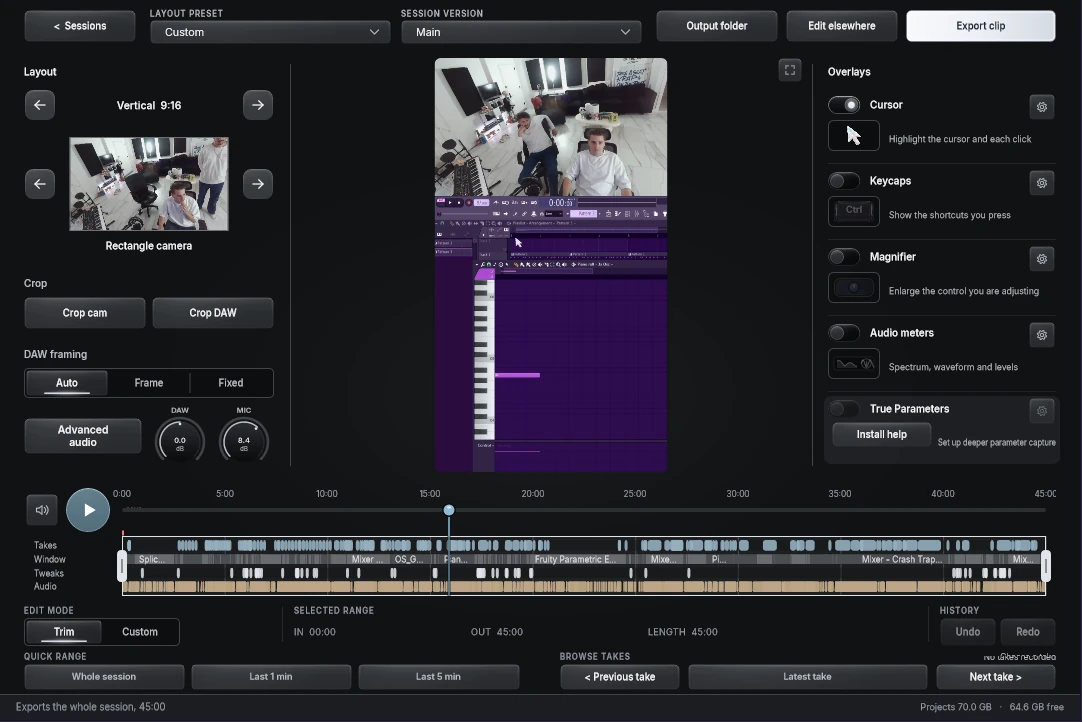
Choose a moment. Pick a layout. Crop your DAW and camera, reframe the screen, add mouse tracking or key commands, mix the audio, and export.
Change the camera composition inside the editor while the DAW recording and session timeline stay available.
One session. A few different sides.
Vertical or horizontal. Camera-first or DAW-first. A Photo Booth window, or something a little more playful. Move, crop and resize your sources, then save a layout preset for next time.
View full size ↗A vertical composition puts the camera above the DAW, with layout, crop and overlay controls beside the preview.
Your DAW. Your voice. Your mix.
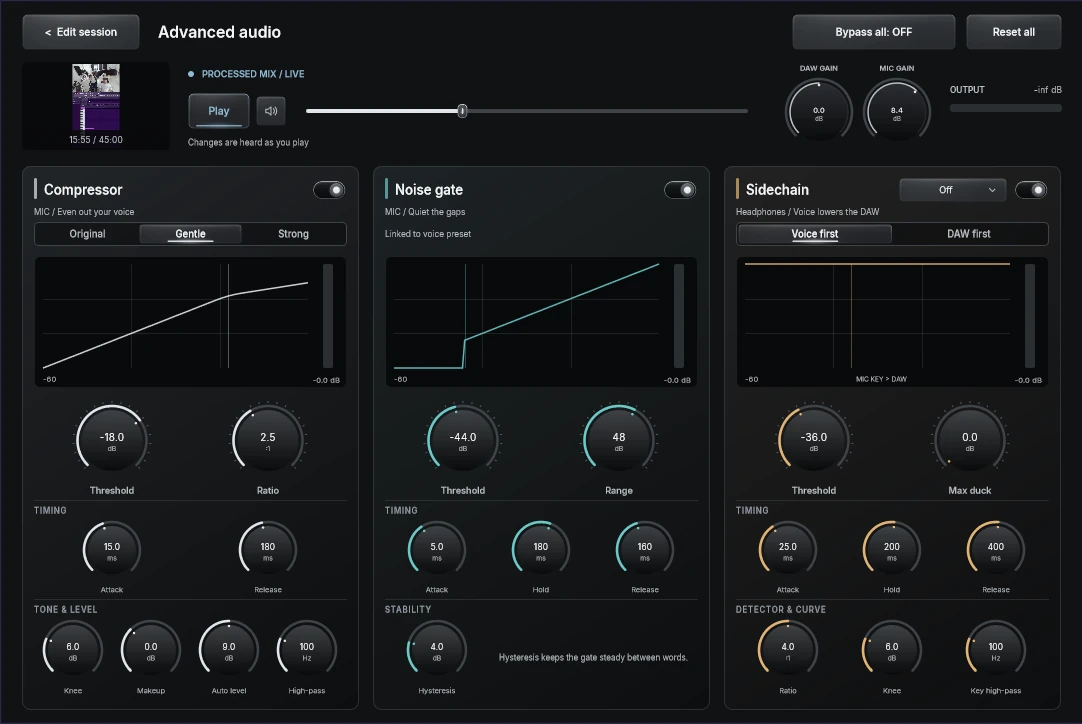
Capture DAW audio directly alongside your microphone, then mix them separately. Compress your voice, gate the room, or duck the music under speech. Leave it untouched when that’s all it needs.
View full size ↗Separate DAW and mic gain, voice compression, a noise gate and sidechain controls. Shape the mix after capture.
CAPTURE ONCE.
Decide later.

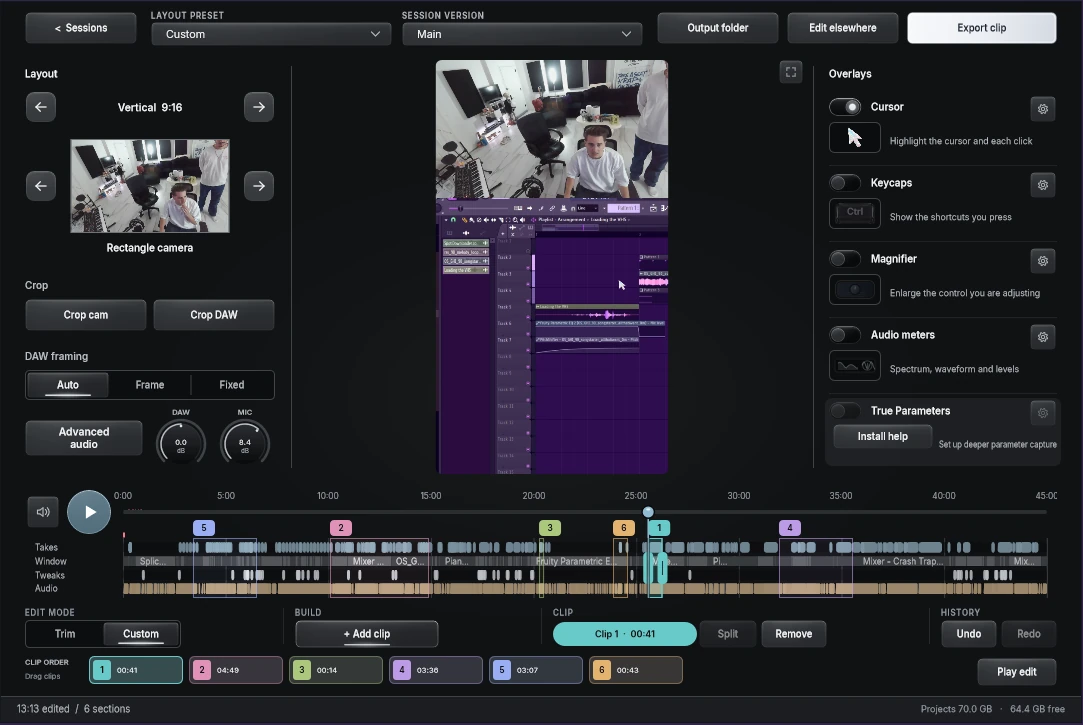
A vertical clip for TikTok. A horizontal edit for YouTube. A different layout or mix for another moment. Session versions let you make different edits from the same original recording.
The same session, framed vertically. Keep the producer and the DAW in the picture.View full size ↗Build a custom edit from selected moments. Reorder the colored clips while keeping the source session intact.
YOUR SESSION STAYS YOURS.
Made on your computer. Stays on your computer.
Your recordings, camera footage, audio and session history stay local. Editing and exports happen there too. No cloud library required. No session footage used to train AI.
Optional usage and diagnostic reporting is controlled in Settings. Recordings, private files, webcam or screen images, DAW projects and audio are never uploaded to HOME.
The installer is still in development. Windows VST3 testing is underway; supported operating-system versions and further platforms will be confirmed with the release.
Download coming soon
Activate once with the code sent to your email, then keep creating offline. Your free HOME account keeps downloads and installations together.