The best screen recorder for a music producer depends on when you want to make decisions. OBS is a strong starting point for live scenes and streaming. Session Eye fits rolling production-session capture and later editing. Tapesmith focuses on streamlined Mac production clips, while Screen Studio emphasizes polished screen presentations. Test the real DAW audio route before choosing.
Compare workflows, not a feature-count contest
A producer may need to play with low latency, preserve a spontaneous moment, explain a small plugin control and publish more than one format. A general recording checklist can miss those requirements.
The comparison below is based on official product documentation reviewed on September 26, 2026, plus Session Eye's owned product/source material. It is an editorial workflow comparison, not a performance benchmark or a claim that we tested every hardware combination. This resource is published by HOME Instruments, the maker of Session Eye.
| Product | Strong fit | Check before committing |
|---|---|---|
| Session Eye | Rolling capture, session context, later clip/layout/mix decisions | Compatible release and the sources/integration you need |
| OBS Studio | Live scenes, streaming and configurable recording/replay | DAW route, output tracks and editing arrangements |
| Tapesmith | Streamlined producer videos on supported Macs | Current requirements and how much manual editing control you need |
| Screen Studio | Polished tutorials and general screen presentations on Mac | DAW-specific workflow and source/edit requirements |
No single row answers every producer's needs. A tool you already understand and have verified may be the best choice for an urgent recording.
Session Eye: produce first, edit the session later
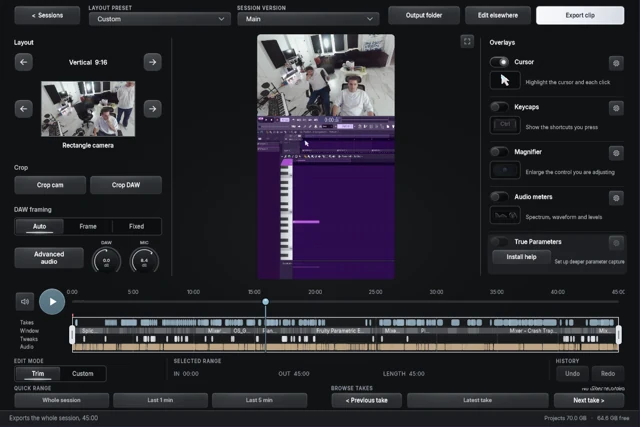
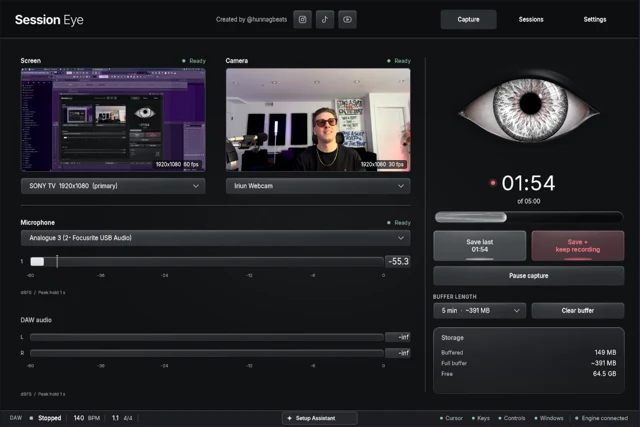
Session Eye keeps rolling DAW audio, selected screen, camera and separate microphone capture. Save after a good moment, then choose several portions of the session, rebalance audio and create vertical or horizontal versions.
Its distinction is the session you revisit. Use the activity timeline to locate the moment, then select clips, change the camera layout and rebalance the music and voice. Keep the DAW project separately when you also need editable notes and plugin state.
This fits unplanned beat-making and sound-design sessions where deciding to “make content” in advance changes how you work. The product page is the source for release compatibility and downloads; no price or performance ranking is assumed here.
OBS: strong when the audience is watching live
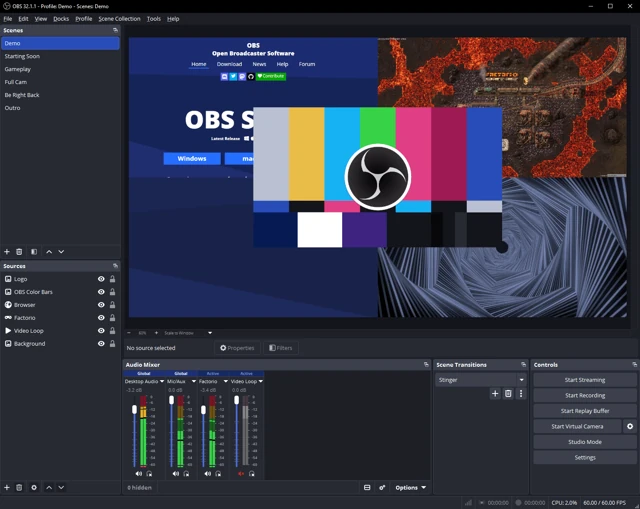
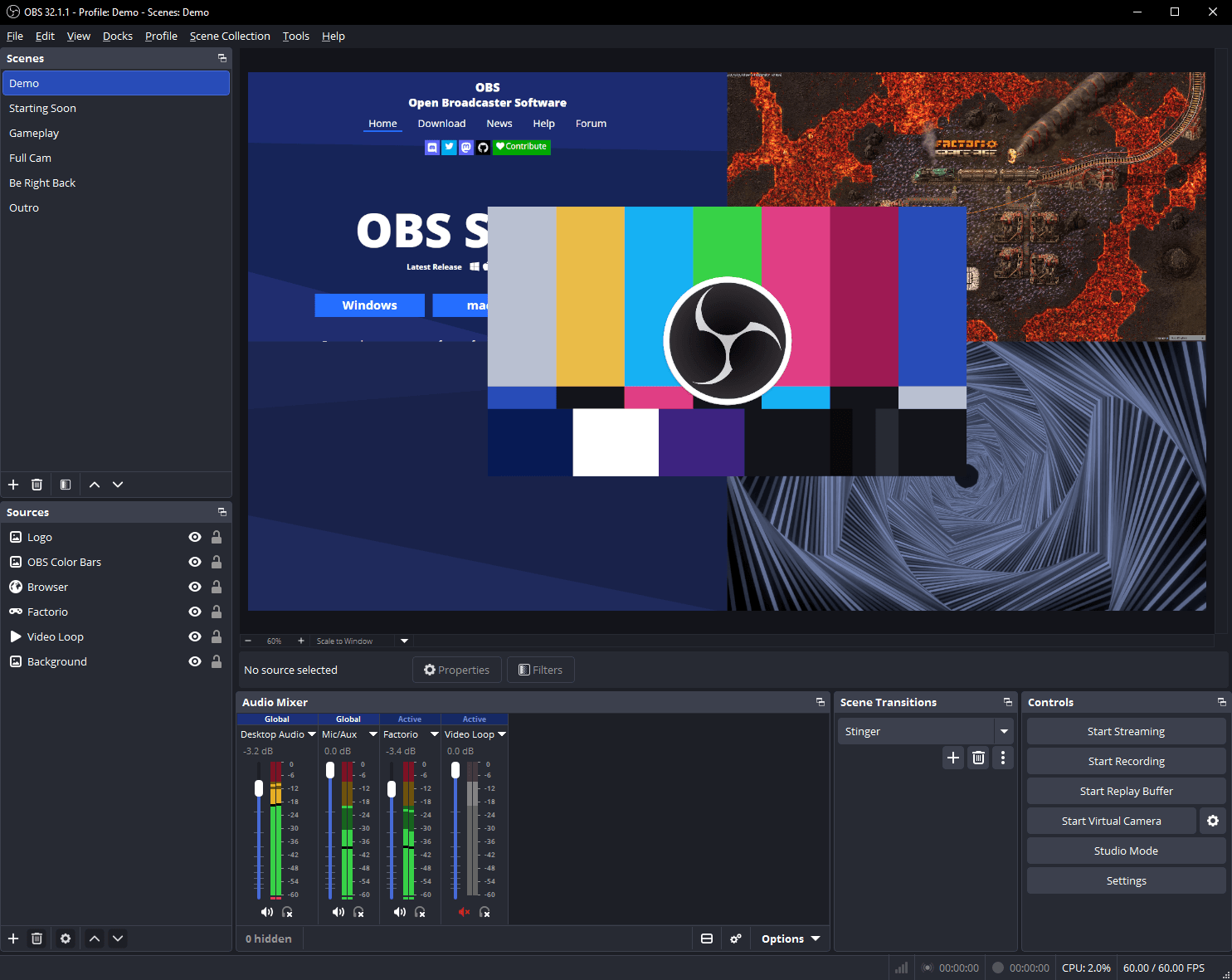
OBS Studio is free, open-source software with a mature scene-based recording and streaming workflow. Replay Buffer provides retrospective video capture, and recording can preserve separate audio tracks when configured.
The work for producers is often audio routing and deciding what the recording should contain. On Windows, ASIO may need a loopback or another route. Modern compatible Mac setups can use native application audio capture, so “OBS always needs BlackHole” is inaccurate.
A standard composed scene leaves fewer layout choices later than separate original picture sources. Additional setups can extend OBS recording; account for their configuration and maintenance rather than dismissing the possibility.
Tapesmith and Screen Studio deserve a real look
Tapesmith advertises integrated DAW/system audio, mic, camera, automatic editing and livestreaming. Its site currently specifies Apple Silicon and macOS 14.2 or newer. Those claims make it relevant to producers seeking a streamlined Mac workflow; do not assume it only makes basic local recordings.
Screen Studio advertises system audio, microphone and camera recording, automatic zoom, editing and horizontal/vertical output. It is a strong candidate when presentation polish and general tutorial creation dominate the task.
Consult each vendor's current terms and requirements. This comparison does not invent missing-feature claims for capabilities we have not verified.
Run the same audition in every candidate
Use one representative DAW project. Record a minute with music, narration, a floating plugin and a visible camera action. Then attempt the edits you will actually need:
- Make narration quieter without changing the music.
- Produce a close view of the control you touched.
- Move the camera without hiding a different important area.
- Create a second aspect-ratio version.
- Save a previous moment if retrospective capture is essential.
- Reopen the saved work and verify that the expected sources remain available.
If the tool cannot complete an essential step, ask whether another setup within it can, and whether that extra work is acceptable. Do not compare a carefully configured favorite with another product's untouched defaults.
Diagnose failed auditions correctly
A silent DAW track may be a routing problem rather than a quality difference between recorders. A delayed camera may need alignment. A missing source may never have been enabled. Use the DAW recording guide to isolate those issues before deciding.
For streaming, start with live requirements. For spontaneous production, prioritize reliable rolling history. For finished tutorials, prioritize readable framing and editing. The right recorder preserves the choices you need without making the musical session revolve around managing capture.
Sources & details
Reviewed . Published by HOME Instruments, maker of Session Eye. Competitor descriptions use linked official material; no controlled speed, latency or quality ranking was performed.