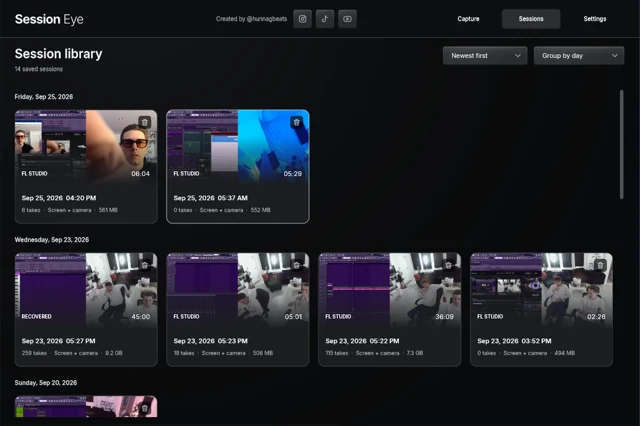
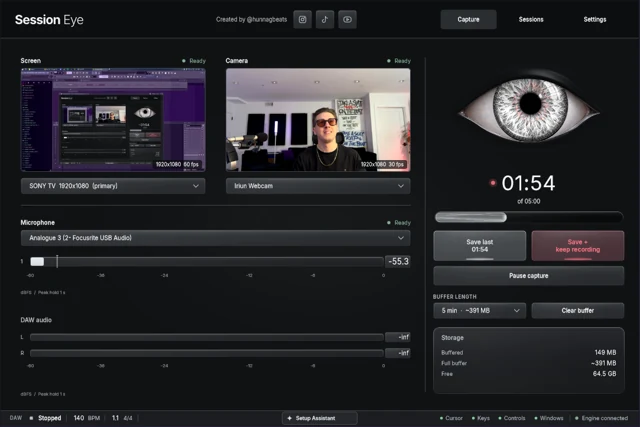
If something was already buffering or recording, you may still be able to save the moment. If nothing captured it, a screen recorder cannot go back and reconstruct it. Before closing anything, check what actually exists: recent video, a saved take, MIDI notes or a project backup.
What is still open right now?
An app being open does not necessarily mean its buffer was running. Check the actual history counter or capture status, not just the window in the taskbar. Avoid restarting a recorder while it might still hold the only unsaved copy.
Save first, inspect second
In Session Eye, use Save last to keep recent history, or Save + keep recording if the session is still unfolding. In OBS, Save Replay saves an active replay buffer; Start Replay Buffer only starts capturing from now.
Open the saved result and find a recognizable moment near the beginning. A requested ten-minute buffer can contain less if it only started three minutes ago. A paused screen or a disconnected microphone also leaves a real gap.
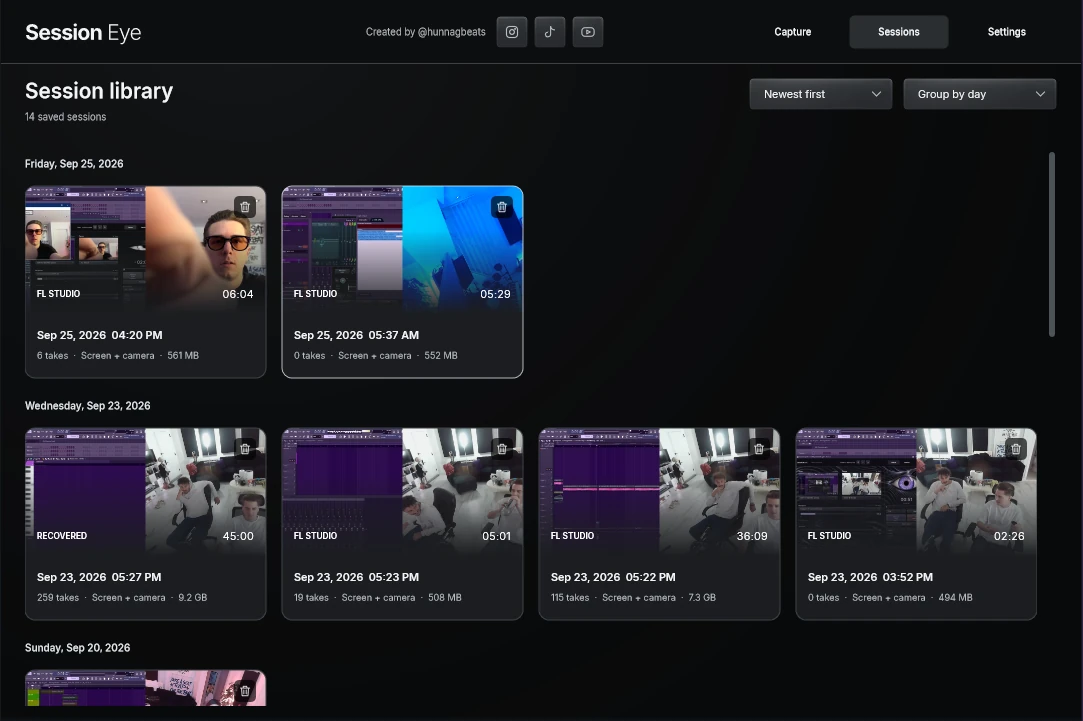
Look in the saved-session library as well as unsaved history. You might already have kept an earlier capture. A thumbnail can help find it, but listen to the session before deciding the important sound is there.
Recover the musical idea
| What you need | Where to look | What it will not automatically restore |
|---|---|---|
| Notes you just played | FL score log or Live Capture MIDI | The original synth sound, screen and reaction |
| An earlier arrangement or setting | DAW backup or a separately saved project | Every change between saves |
| A recorded vocal or instrument | Existing audio takes and recording folders | Material played before audio recording started |
| The exact sound and picture | An existing recording or buffer | Sources that were off at capture time |
FL's score logging overview and Live's Capture MIDI documentation describe note recovery. Save the recovered idea into a separate project copy before experimenting with it.
A changing synth patch, random modulation or external instrument may sound different when replayed. That does not make the recovered notes useless; it just means recovering the composition and recovering the original performance are different goals. The save-a-beat guide takes that musical recovery process further.
Give the next session a memory
Choose a rolling window long enough for the performance and the delay before you notice it matters. Five minutes may work for a quick idea; longer sound-design sessions need more room. Test the saved duration rather than trusting the setting alone.
Session Eye keeps selected production sources for a later edit. OBS Replay Buffer keeps recent scene footage. Both are useful, and both need to be active before the event.
Make one rehearsal save while your DAW has focus. Check that the music, useful screen region and optional camera/mic survived. Once that works, the next good moment can become a decision about what to keep instead of a search for something that was never captured.
Sources & details
Reviewed . FL score logging and Live Capture MIDI preserve note data under their documented conditions. Neither reference promises recovery of uncaptured audio or screen video.